 Waystone
One clear next step
No backlog to maintain. Waystone suggests the next step; you can always choose another.
Tell Waystone where you want to go. It maps milestones you can actually check, hands you one clear step for today, and helps you re-route when life gets in the way. No guilt, no to-do pile.
A destination, waystones along the route, one step for today — and a calm re-route when you drift. That's the whole idea.
Describe what you want in your own words. Waystone asks a few optional questions, then drafts a route — with its assumptions in plain sight, so you can correct them.
Each milestone is a result you can verify — “run 5 km without stopping”, not “weeks 1–2”. You decide when it's reached.
One concrete action: how to start, roughly how long, and what “done” looks like. Low on energy? There's always a 2‑minute version.
Missed a few days? Say what got in the way. Waystone suggests changes and explains why — nothing changes until you approve it.
One goal's route at a time. Switch goals from the top of the screen; each keeps its own plan and history.
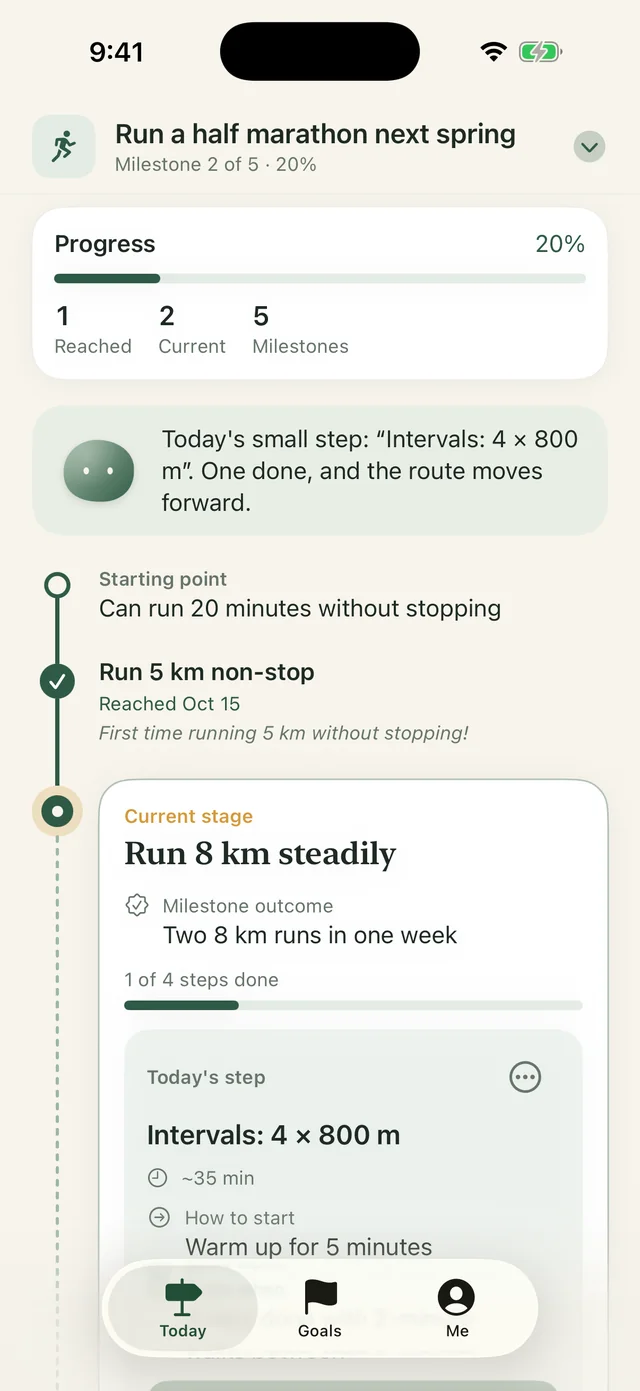
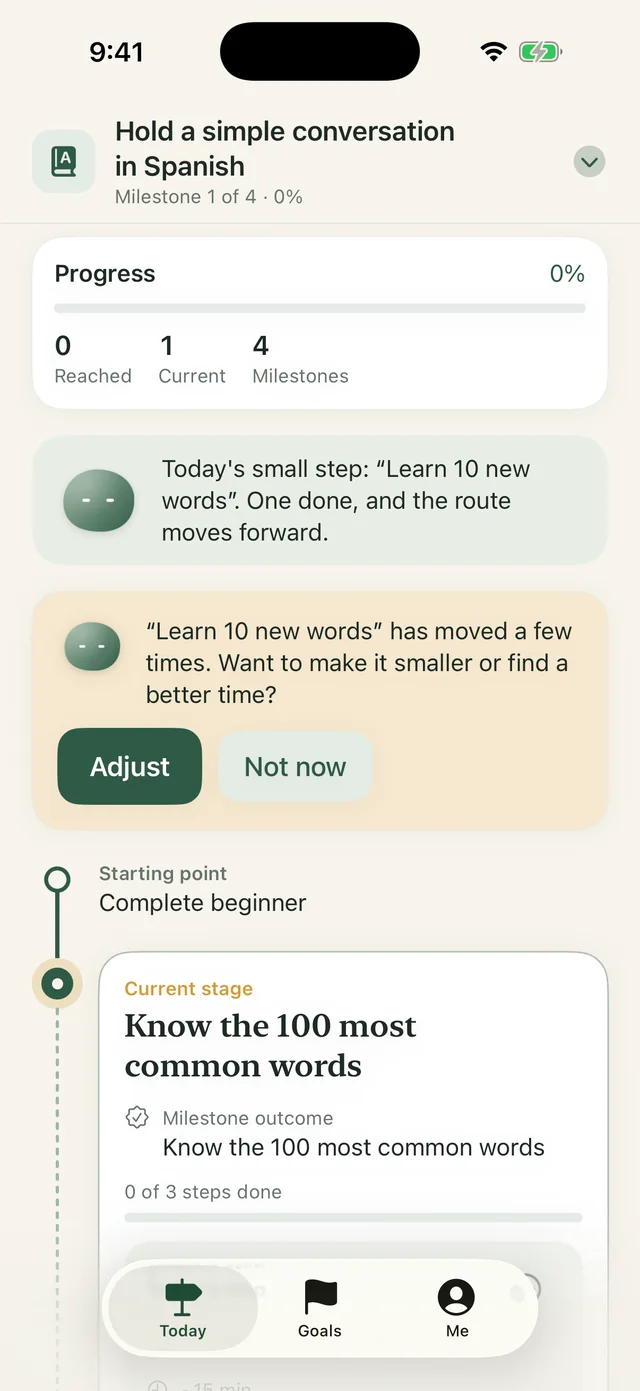
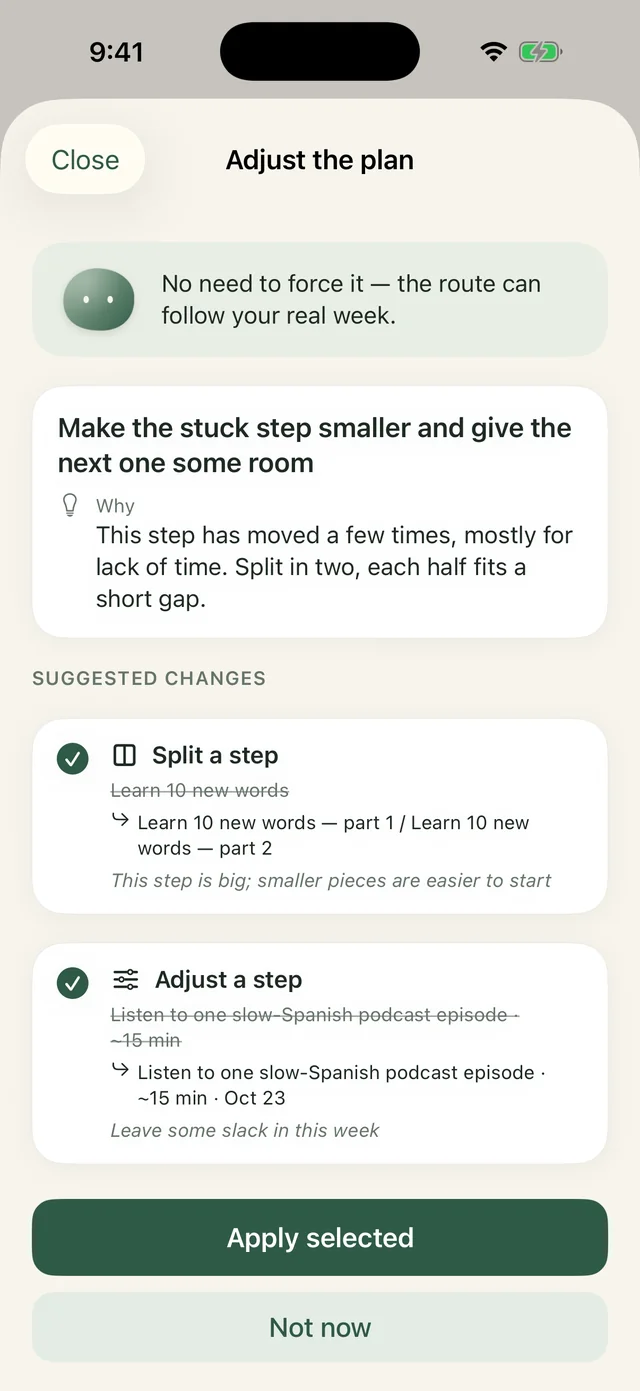
Plans fall apart on busy days. Waystone is designed for that moment.
No backlog to maintain. Waystone suggests the next step; you can always choose another.
Every step comes with a tiny version for tired days. Starting small still counts.
Pick a reason — not enough time, low energy, too hard — and the plan adapts. One missed day isn't laziness.
AI suggestions arrive as a reviewable list with reasons. Your history is never silently rewritten.
Progress counts milestones you've reached, not streaks. No route yet? No made-up percentage.
Keep a few goals going without mixing them up. Pause, finish or archive any of them.
A quiet stone that walks the route with you. It celebrates real progress, checks in when things slip, and welcomes you back without a lecture.
Low-energy stretch? The 2-minute version still counts.
This step has slipped twice this week. Want to make it smaller or move it?
One more stone on the path. Well done.
Welcome back. No catching up needed — a 2-minute step is a great restart.
Prefer quiet? Pause nudges any time — the companion will only state facts, and reminders stop.
Waystone has no accounts and no analytics. AI help is optional, explained up front, and only used when you turn it on.
Waystone is in final testing for iPhone (iOS 17 or later). This page will link to the App Store as soon as it's live.
English and Simplified Chinese. The app follows your iPhone's language. Plans generated by AI keep the language you created the goal in.
Plans and suggestions are generated by DeepSeek's model through Waystone's server. AI is off until you agree to it, and you can switch it off any time and plan by hand.
No. Waystone helps you plan and keep going. It doesn't give medical, financial or legal advice. For health and fitness goals, listen to your body and talk to a professional when needed.
Your data lives on your device and moves with your iPhone backup. You can also export it as a JSON file in Me → Privacy & data.
Waystone is coming soon to the App Store.